Editors (LSP)
contextlint には Language Server Protocol(LSP)実装である @contextlint/lsp-server が同梱されています。LSP 対応のエディタに組み込むと、Markdown ファイルを開いている間、編集中の差分を即時に lint し、診断・ホバー情報・Quick Fix をエディタ内で受け取れます。
- 診断(Diagnostics) — 21 ルールすべての違反をエディタの該当行にインラインで表示
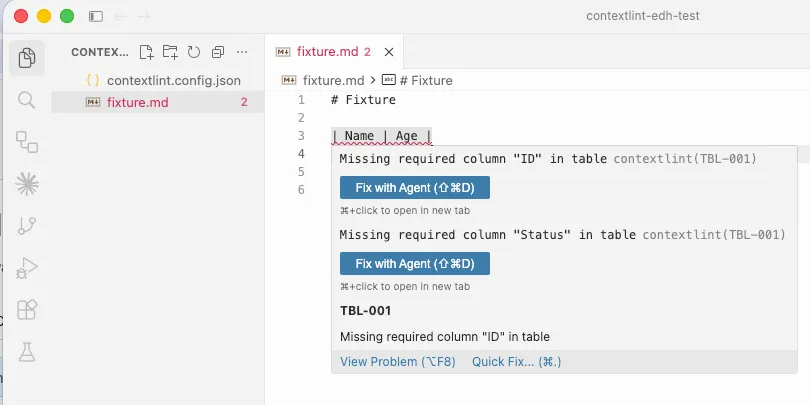
- ホバー — 違反箇所にカーソルを合わせると、ルール ID とメッセージを表示
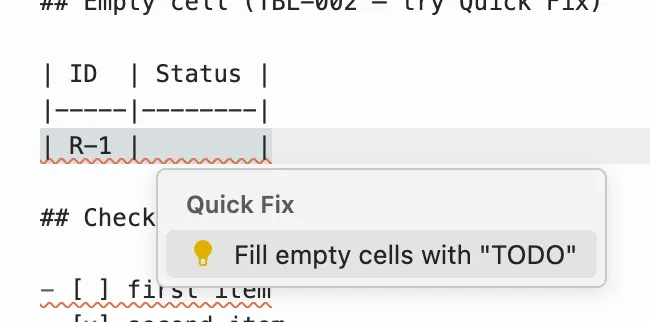
- Quick Fix — 一部のルールについて、ワンクリックで自動修正
CHK-001: チェックリスト項目をチェック済みにするTBL-002: 空セルにTODOを挿入する
- クロスファイルルールの即時反映 —
REF-001/REF-002/TBL-006/GRP-*などのファイル横断ルールも、ワークスペース全体のキャッシュを使って編集中に評価される
設定ファイルは CLI / MCP と同じ contextlint.config.json を使います。エディタ向けに別の設定ファイルを用意する必要はありません。
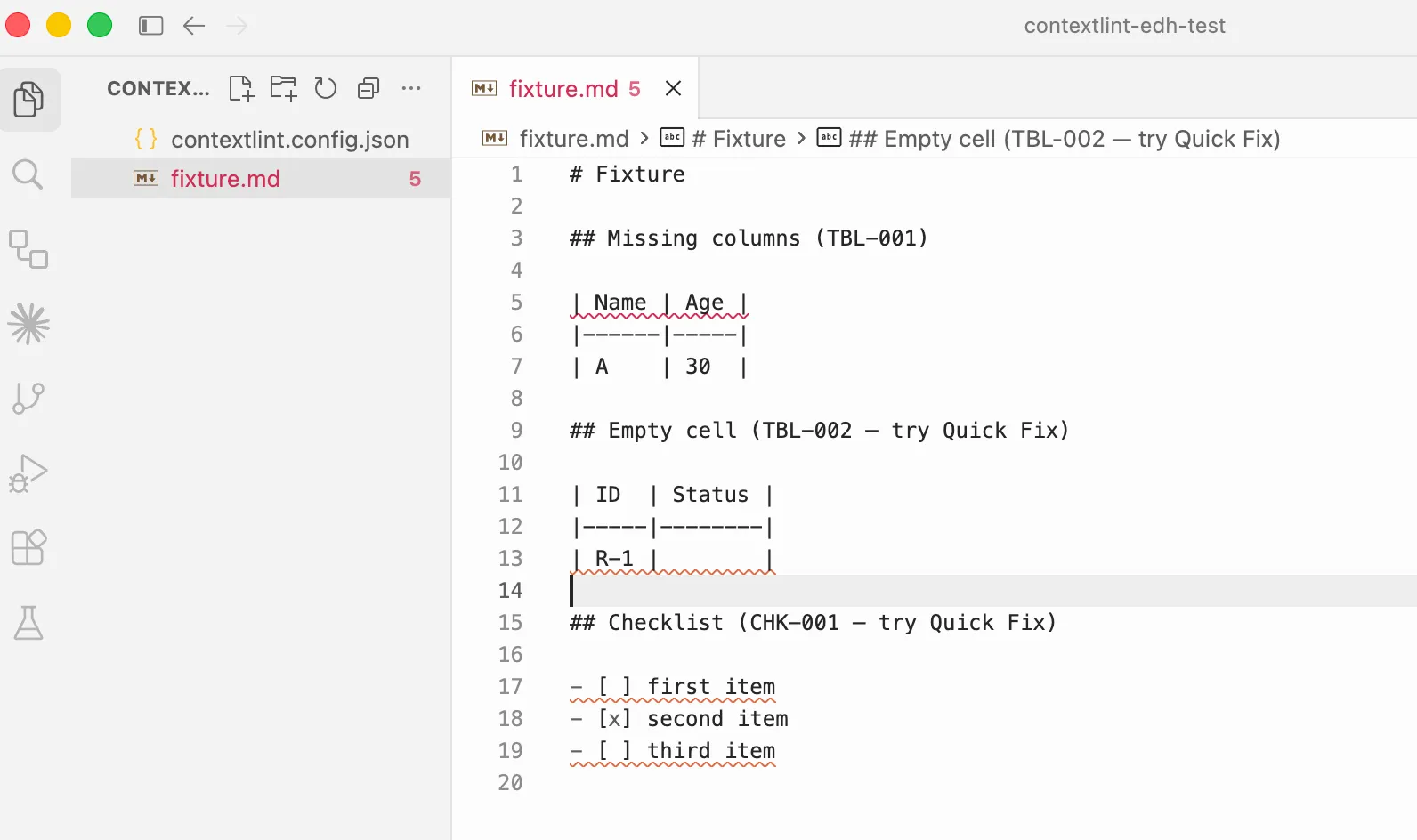
違反が検出されると、該当行にインラインで diagnostic が表示されます:
Hover すると、ルール ID と message の全文を確認できます:
Quick Fix が用意されているルールでは Lightbulb から自動修正できます。以下は TBL-002(空セル)に TODO を挿入する例です:
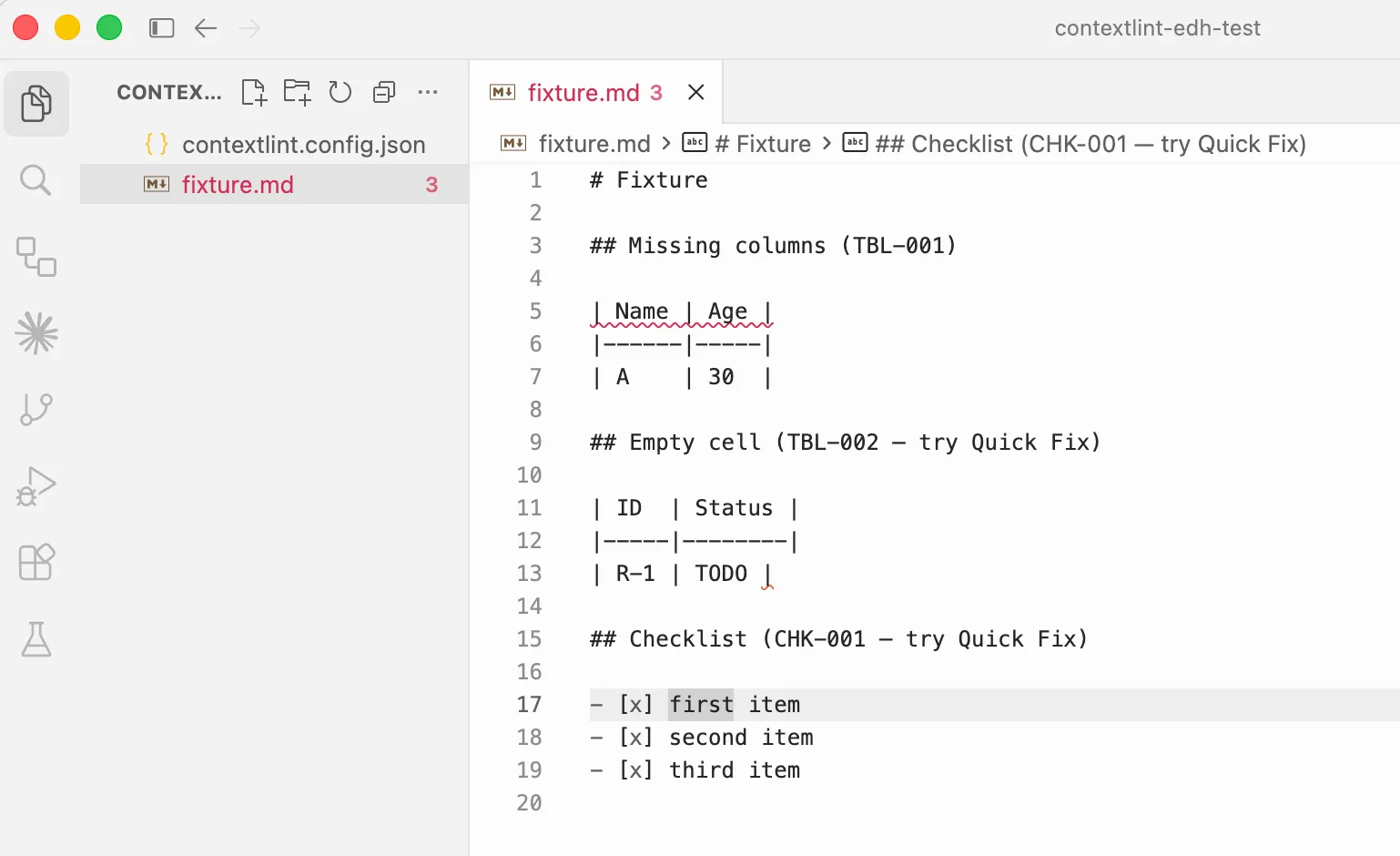
Quick Fix を適用すると、その場で diagnostic が消えます:
インストール
Section titled “インストール”# bunbun add -D @contextlint/lsp-server
# npmnpm install -D @contextlint/lsp-serverLSP サーバーは contextlint-lsp というバイナリを提供します。多くのエディタはこのバイナリを npx contextlint-lsp で起動する形を取ります。
VS Code
Section titled “VS Code”VS Code 用の拡張機能 contextlint-vscode を VSIX として配布しています。Marketplace 公開は今後の予定です。
GitHub Release から contextlint-vscode-*.vsix をダウンロードしてください。
code --install-extension contextlint-vscode-VERSION.vsixまたは Extensions ビューから手動でインストールできます。
- Extensions ビューを開く
- Views and More Actions… から Install from VSIX… を選択
- ダウンロードした
.vsixファイルを指定
インストール後は Markdown ファイルを開くと自動で LSP が起動し、最寄りの contextlint.config.json を使って診断が表示されます。追加設定は不要です。
Cursor
Section titled “Cursor”Cursor は VS Code 互換のため、contextlint-vscode の VSIX をそのままインストールできます。手順は VS Code と同じです。
cursor --install-extension contextlint-vscode-VERSION.vsixGeneric な LSP セットアップ
Section titled “Generic な LSP セットアップ”LSP 対応エディタに対しては、次の情報があれば組み込めます。
| 項目 | 値 |
|---|---|
| 起動コマンド | npx contextlint-lsp |
| プロトコル | LSP(stdio) |
| 対象ファイルタイプ | markdown |
| ルートディレクトリの判定 | contextlint.config.json の存在、なければ .git |
| 設定ファイル | ワークスペース直下またはその親階層の contextlint.config.json を自動検出 |
contextlint-lsp は process.stdin / process.stdout で LSP を話します。シングルファイル(プロジェクト外の単独ファイル)は対象外で、contextlint.config.json を見つけられたワークスペースに対してのみ動作します。
local configs = require('lspconfig.configs')local util = require('lspconfig.util')
if not configs.contextlint then  configs.contextlint = {    default_config = {      cmd = { 'npx', 'contextlint-lsp' },      filetypes = { 'markdown' },      root_dir = util.root_pattern('contextlint.config.json', '.git'),      single_file_support = false,    },  }end
require('lspconfig').contextlint.setup({})Helix(~/.config/helix/languages.toml)
Section titled “Helix(~/.config/helix/languages.toml)”[language-server.contextlint]command = "npx"args = ["contextlint-lsp"]
[[language]]name = "markdown"language-servers = ["contextlint"]JetBrains IDE(LSP4IJ)
Section titled “JetBrains IDE(LSP4IJ)”- Marketplace から LSP4IJ プラグインをインストール
- Settings → Languages & Frameworks → Language Servers → Add で次のように設定:
- Name:
contextlint - Command:
npx contextlint-lsp - Mapping → File name patterns:
*.md
- Name:
- 外部からのファイル変更は監視されません。
git pullやエディタ外部のスクリプトでファイルが変更された場合、LSP のワークスペースキャッシュは自動更新されません。エディタウィンドウをリロード(VS Code / Cursor ならCmd+R/Ctrl+R)するとキャッシュが再構築されます。 - Quick Fix の対応ルールは現時点で 2 つ(
CHK-001/TBL-002)のみ。 その他のルールについては、診断とホバーのみが提供されます。