Editors (LSP)
contextlint ships with @contextlint/lsp-server, a Language Server Protocol (LSP) implementation. When you embed it in an LSP-capable editor, the server lints in-progress edits the moment you make them, surfacing diagnostics, hover information, and Quick Fixes inside the editor.
What it provides
Section titled “What it provides”- Diagnostics — inline violations for every one of the 21 rules, on the offending line
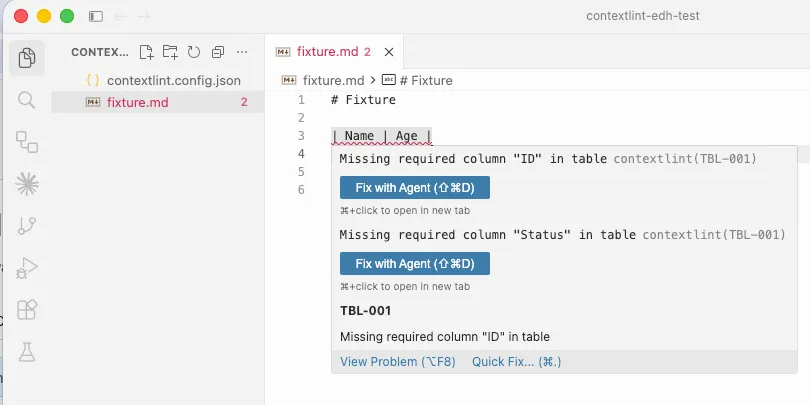
- Hover — hover a violation to see the rule ID and message
- Quick Fix — one-click auto-fix for a few rules
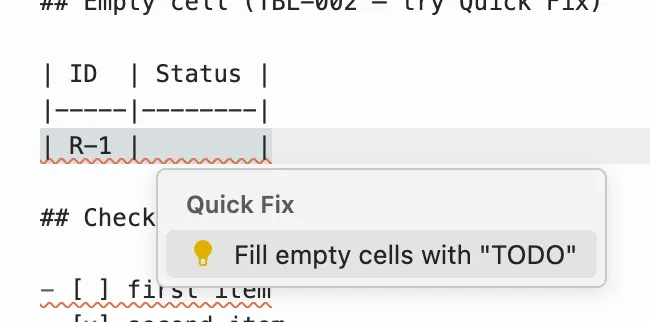
CHK-001: mark a checklist item as checkedTBL-002: insertTODOinto an empty cell
- Cross-file rules updated live — file-spanning rules like
REF-001/REF-002/TBL-006/GRP-*are evaluated against the workspace cache as you edit
The LSP uses the same contextlint.config.json as the CLI and MCP server. There’s no editor-specific config to maintain.
What it looks like
Section titled “What it looks like”Diagnostics appear inline next to the offending text:
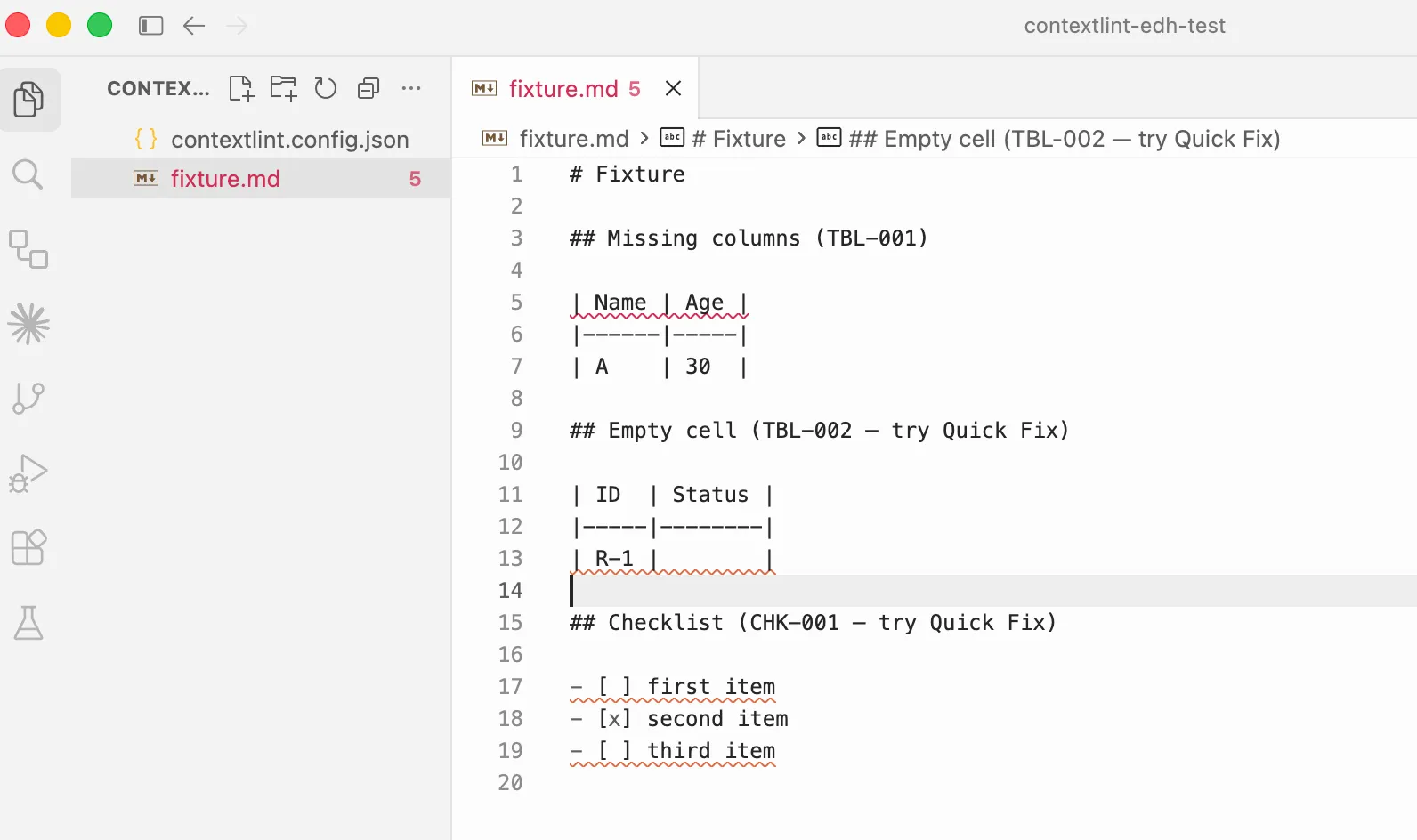
Hovering a diagnostic surfaces the rule ID and full message:
The Quick Fix lightbulb offers an auto-fix where one is available — here, TBL-002 proposes inserting TODO into the empty cell:
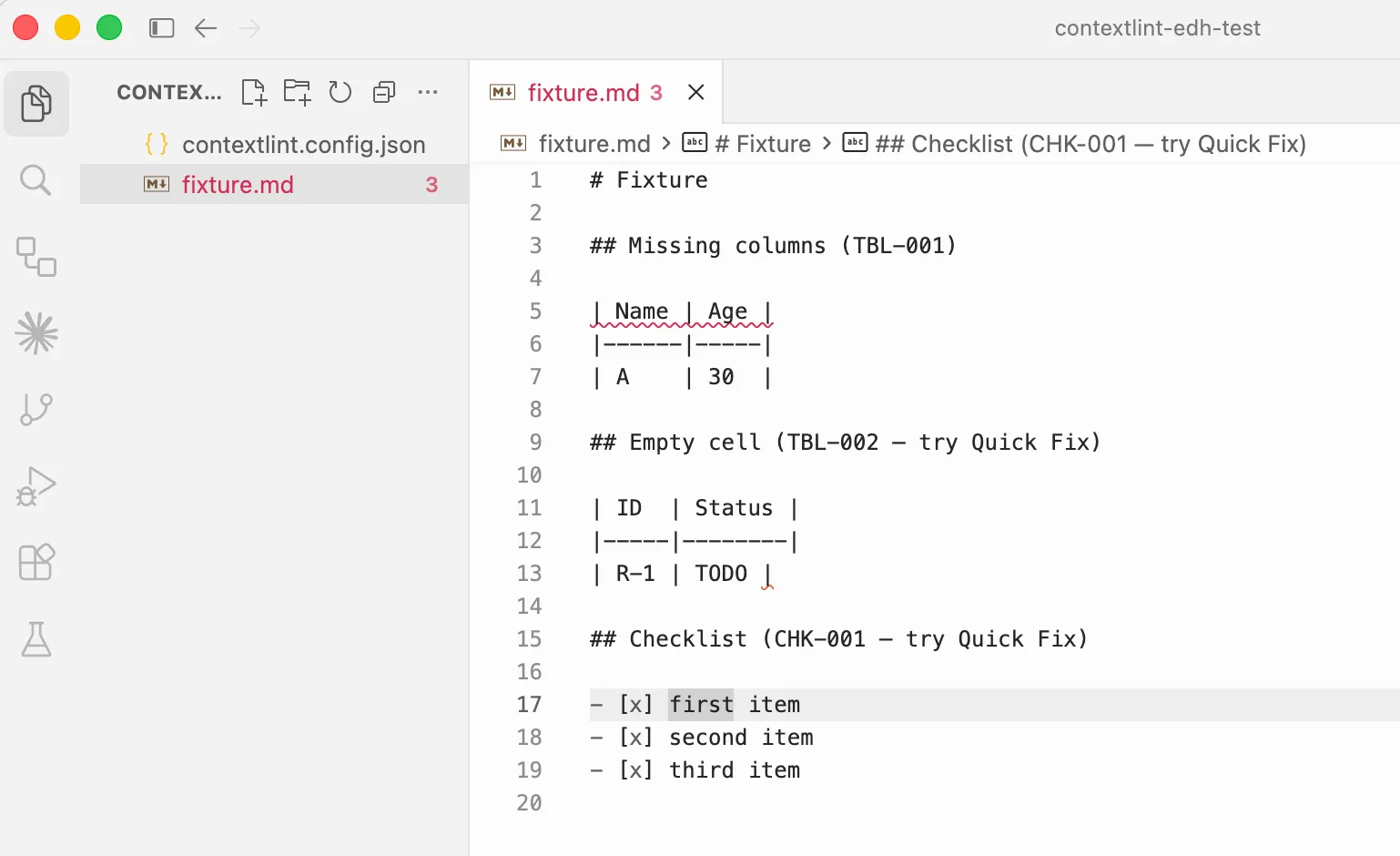
After applying the fix, the diagnostic clears in the same buffer:
Installation
Section titled “Installation”# bunbun add -D @contextlint/lsp-server
# npmnpm install -D @contextlint/lsp-serverThe LSP server provides the contextlint-lsp binary. Most editors launch it as npx contextlint-lsp.
VS Code
Section titled “VS Code”A VS Code extension contextlint-vscode is distributed as a VSIX. Marketplace publishing is on the roadmap.
Download contextlint-vscode-*.vsix from a GitHub Release.
code --install-extension contextlint-vscode-VERSION.vsixYou can also install it manually from the Extensions view:
- Open the Extensions view
- From Views and More Actions…, select Install from VSIX…
- Pick the downloaded
.vsixfile
After installation, opening a Markdown file starts the LSP automatically and applies the nearest contextlint.config.json for diagnostics. No extra setup needed.
Cursor
Section titled “Cursor”Cursor is VS Code-compatible, so the contextlint-vscode VSIX installs directly. The procedure matches VS Code.
cursor --install-extension contextlint-vscode-VERSION.vsixGeneric LSP setup
Section titled “Generic LSP setup”For any LSP-capable editor, the following information is enough to wire it up:
| Item | Value |
|---|---|
| Launch command | npx contextlint-lsp |
| Protocol | LSP (stdio) |
| Target file types | markdown |
| Root detection | Presence of contextlint.config.json, falling back to .git |
| Config file | Auto-detected from contextlint.config.json in the workspace root or any parent |
contextlint-lsp speaks LSP over process.stdin / process.stdout. Single files outside any project aren’t supported — the server only operates on a workspace where it can find a contextlint.config.json.
local configs = require('lspconfig.configs')local util = require('lspconfig.util')
if not configs.contextlint then  configs.contextlint = {    default_config = {      cmd = { 'npx', 'contextlint-lsp' },      filetypes = { 'markdown' },      root_dir = util.root_pattern('contextlint.config.json', '.git'),      single_file_support = false,    },  }end
require('lspconfig').contextlint.setup({})
Helix (~/.config/helix/languages.toml)
Section titled “Helix (~/.config/helix/languages.toml)”[language-server.contextlint]command = "npx"args = ["contextlint-lsp"]
[[language]]name = "markdown"language-servers = ["contextlint"]JetBrains IDEs (LSP4IJ)
Section titled “JetBrains IDEs (LSP4IJ)”- Install the LSP4IJ plugin from the Marketplace
- Go to Settings → Languages & Frameworks → Language Servers → Add and configure:
- Name:
contextlint - Command:
npx contextlint-lsp - Mapping → File name patterns:
*.md
- Name:
Known limitations
Section titled “Known limitations”- External file changes aren’t watched. If a file is changed by
git pullor any script outside the editor, the LSP workspace cache isn’t refreshed automatically. Reload the editor window (Cmd+R/Ctrl+Rin VS Code / Cursor) to rebuild the cache. - Quick Fix supports only two rules right now (
CHK-001/TBL-002). Other rules surface diagnostics and hover only.